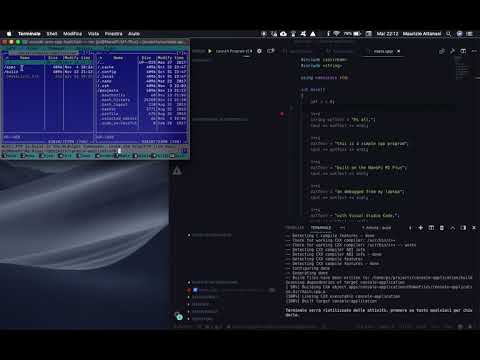
In this note, I'll try to do something similar but using the latest long time support version of dotnet core,
3.1 LTS (ver. 3.1.201 at the time of writing this post).
Pi Setup
As for the C++ setup, we will use ssh to connect our debugger to the Pi. To debug we'll need root
privileges, and to obtain this result we need to enable ssh connection using root.
To get this result we need to edit the sshd_config configuration file by running:
sudo nano /etc/ssh/sshd_config
check if the line
PermitRootLogin yes
exists or, in the case, add it and then reboot the Pi
sudo reboot
.NET Core setup
First thing first we need to install .net core SDK on the Pi. Following the instruction available on the sdk's download page on our ssh command line we will run the following commands:
~$ sudo apt-get install curl libunwind8 gettext

~$ wget https://download.visualstudio.microsoft.com/download/pr/ccbcbf70-9911-40b1-a8cf-e018a13e720e/03c0621c6510f9c6f4cca6951f2cc1a4/dotnet-sdk-3.1.201-linux-arm.tar.gz
The next step is to extract the packages we downloaded, and make the dotnet commands available at the terminal
~$ mkdir -p $HOME/dotnet && tar zxf dotnet-sdk-3.1.201-linux-arm.tar.gz -C $HOME/dotnet
~$ export DOTNET_ROOT=$HOME/dotnet
~$ export PATH=$PATH:$HOME/dotnet
In order to verify the installation, in our ssh terminal, run the dotnet --info command. If everything is ok something like this should appear.

As stated in the .NET Core download page
The above commands will only make the .NET SDK
commands
available for the terminal session in which it was run.
You can edit your shell profile to permanently add the commands. There are a number of different shells available for Linux and each has a different profile. For example:
Also, add export DOTNET_ROOT=$HOME/dotnet to the end of the file.
You can edit your shell profile to permanently add the commands. There are a number of different shells available for Linux and each has a different profile. For example:
- Bash Shell: ~/.bash_profile, ~/.bashrc
- Korn Shell: ~/.kshrc or .profile
- Z Shell: ~/.zshrc or .zprofile
Also, add export DOTNET_ROOT=$HOME/dotnet to the end of the file.
VS Remote Debugger Setup
To install the vscode remote debugger on the NanoPi, on the ssh terminal rin the command:
~$ curl -sSL https://aka.ms/getvsdbgsh | /bin/sh /dev/stdin -v latest -l ~/vsdbg
Visual Studio Code remote debugging test
Now it's time to test the whole toolchain.
On our development machine (in my case an old MacBook Pro 15), we need the dotnet SDK installed, and, of course
our favorite code editor Visual Studio Code.
To achieve the goal, we will use a simple console application named toolchain-test
In order to verify the machine on which we are running our simple test program we'll change the code as follows:
    using System;

    namespace toolchain_test
    {
        class Program
        {
            static void Main(string[] args)
            {
                var logName = Environment.GetEnvironmentVariable("LOGNAME");
                Console.WriteLine($"Hello World! from {logName}");
            }
        }
    }
As we did for the C++
toolchain we will make use of rsync, a copying tool
available on macOS, Linux, and now also on Windows 10 via the Windows Subsystem for Linux or WSL2 so our
task.json and launch.json files
will be:
        {
            "version": "2.0.0",
            "tasks": [
                {
                    "label": "build",
                    "command": "dotnet",
                    "type": "process",
                    "args": [
                        "build",
                        "${workspaceFolder}/toolchain-test/toolchain-test.csproj",
                        "/property:GenerateFullPaths=true",
                        "/consoleloggerparameters:NoSummary"
                    ],
                    "problemMatcher": "$msCompile"
                },
                {
                    "label": "publish",
                    "command": "dotnet",
                    "dependsOn": "build",
                    "type": "process",
                    "args": [
                        "publish",
                        "-r",
                        "linux-arm",
                        "${workspaceFolder}/toolchain-test/toolchain-test.csproj",
                        "/property:GenerateFullPaths=true",
                        "/consoleloggerparameters:NoSummary"
                    ],
                    "problemMatcher": "$msCompile"
                },
                {
                    "label": "rsync",
                    "type": "shell",
                    "dependsOn": "publish",
                    "osx": {
                        "command": "rsync -r -a -v -e ssh --delete toolchain-test/bin/Debug/netcoreapp3.1/linux-arm/ pi@192.168.1.177:/home/pi/projects/toolchain-test/"
                    }
                },
                {
                    "label": "watch",
                    "command": "dotnet",
                    "type": "process",
                    "args": [
                        "watch",
                        "run",
                        "${workspaceFolder}/toolchain-test/toolchain-test.csproj",
                        "/property:GenerateFullPaths=true",
                        "/consoleloggerparameters:NoSummary"
                    ],
                    "problemMatcher": "$msCompile"
                }
            ]
        }
        {
            // Use IntelliSense to find out which attributes exist for C# debugging
            // Use hover for the description of the existing attributes
            // For further information visit https://github.com/OmniSharp/omnisharp-vscode/blob/master/debugger-launchjson.md
            "version": "0.2.0",
            "configurations": [
                {
                    "name": ".NET Core Launch (console)",
                    "type": "coreclr",
                    "request": "launch",
                    "preLaunchTask": "build",
                    "program": "${workspaceFolder}/toolchain-test/bin/Debug/netcoreapp3.1/toolchain-test.dll",
                    "args": [],
                    "cwd": "${workspaceFolder}",
                    "console": "internalConsole",
                    "stopAtEntry": false
                },
                {
                    "name": ".NET Core Remote Launch - Standalone Application (console)",
                    "type": "coreclr",
                    "request": "launch",
                    "program": "toolchain-test",
                    "args": [],
                    "cwd": "~/projects/toolchain-test",
                    "stopAtEntry": false,
                    "console": "internalConsole",
                    "pipeTransport": {
                        "pipeCwd": "${workspaceRoot}",
                        "pipeProgram": "/usr/bin/ssh",
                        "pipeArgs": [
                            "-T",
                            "pi@192.168.1.177"
                        ],
                        "debuggerPath": "~/vsdbg/vsdbg"
                    },
                    "preLaunchTask": "rsync",
                },
                {
                    "name": ".NET Core Attach",
                    "type": "coreclr",
                    "request": "attach",
                    "processId": "${command:pickProcess}"
                }
            ]
        }
In the launch.json
we have two configurations, a local and a remote one.
Selecting the local one:

and pressing F5, the program will stop at the breakpoint as we can see in the following picture:

and the program output will be:

Selecting the remote debug configuration, we will have instead:


As we can see, in the first test, the logName variable assumes the development machine LOGNAME environment variable value, while in the second it assumes the Pi's one.
Selecting the local one:

and pressing F5, the program will stop at the breakpoint as we can see in the following picture:

and the program output will be:
Selecting the remote debug configuration, we will have instead:


As we can see, in the first test, the logName variable assumes the development machine LOGNAME environment variable value, while in the second it assumes the Pi's one.
The code of this note is available here on
my Github repo.
As always
Enjoy,
and if we are still under COVID-19 attack, #staysafe, #StayAtHome.

Enjoy,
and if we are still under COVID-19 attack, #staysafe, #StayAtHome.